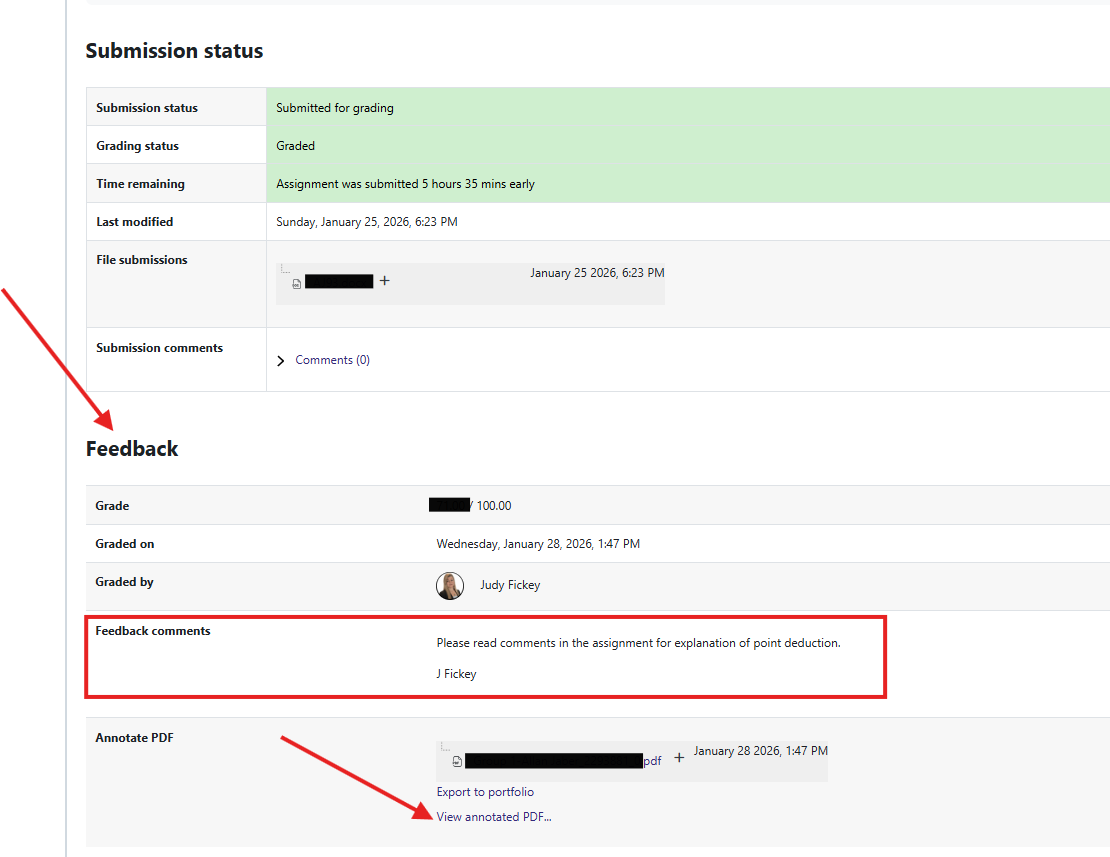
To view Assignment Feedback:
1. Click into the Assignment
2. Scroll down to the Feedback section
- Check Feedback Comments
- Check Annotate PDF
- You may see a PDF of your submission here
- Click on the blue View Annotated PDF
- In a pop up window - You will see your submission and are able to click through page by page with a conversation bubble that can be clicked on for detailed feedback from your instructor/AA.