
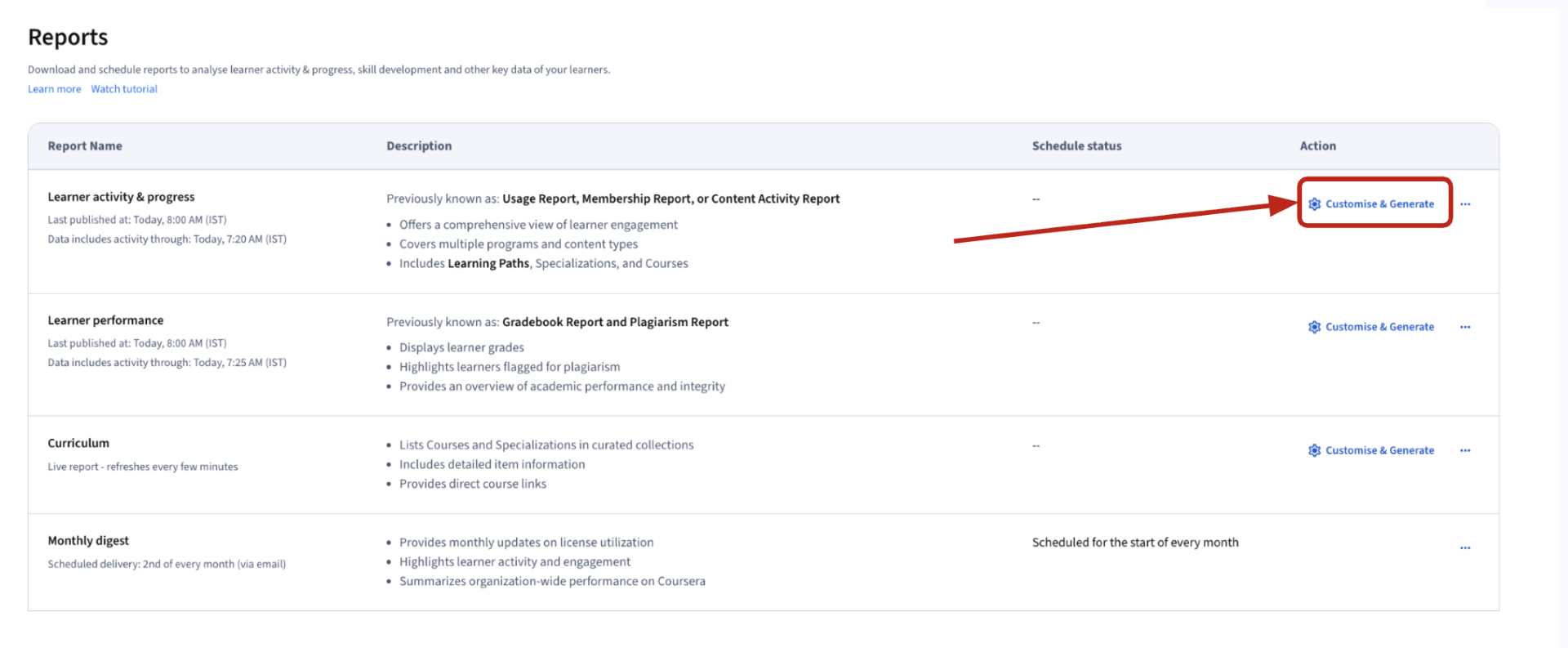
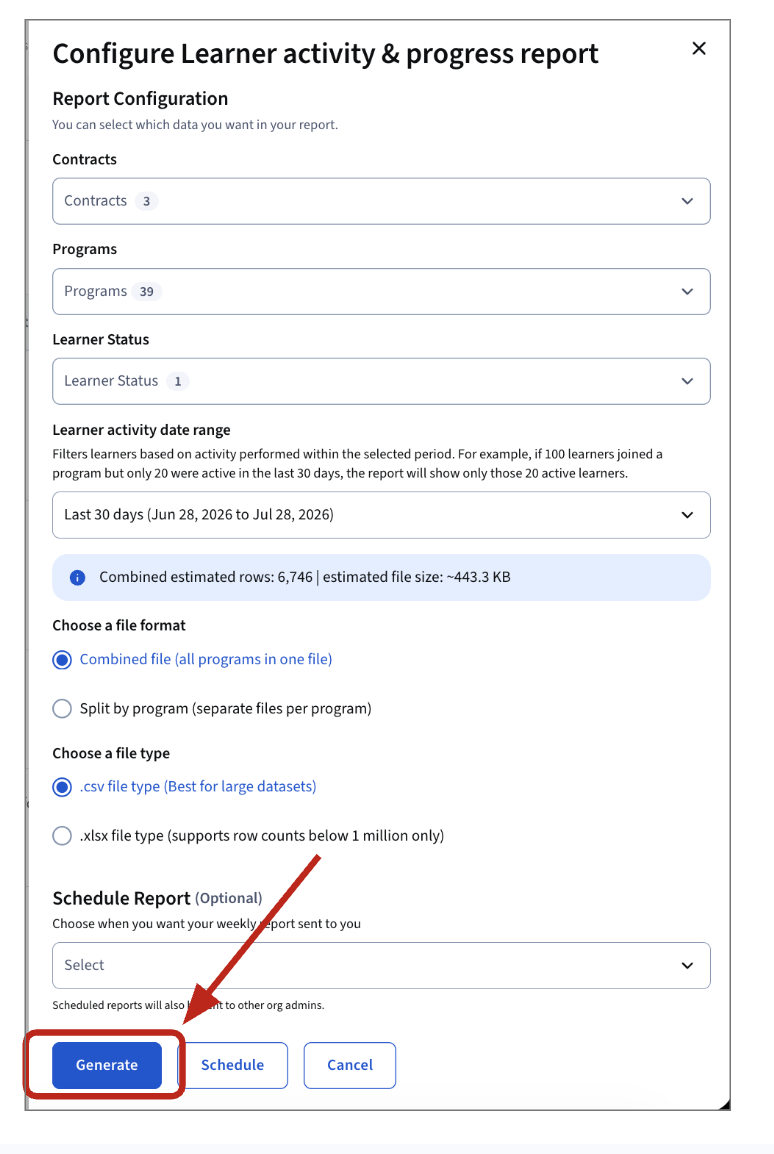
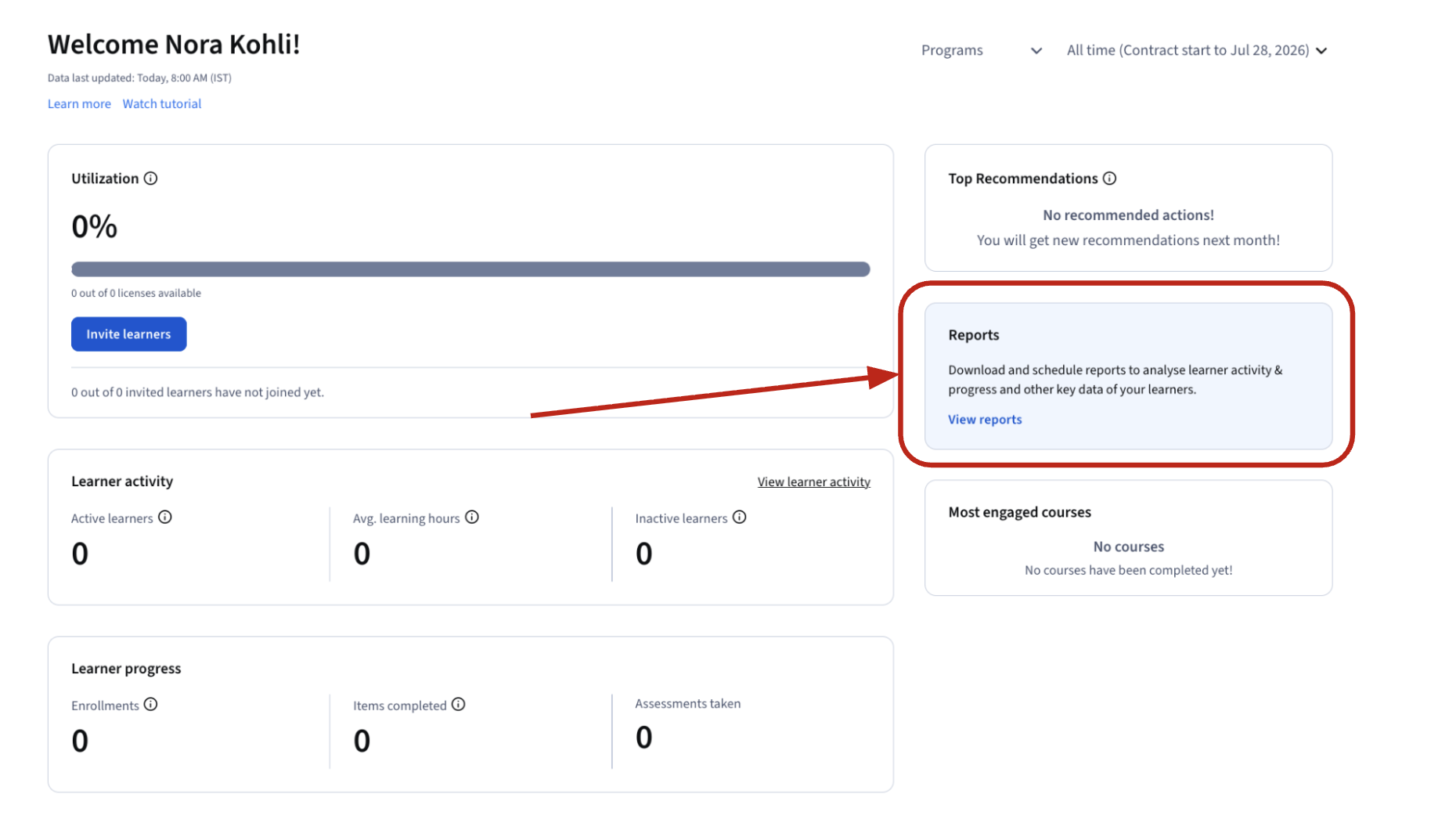
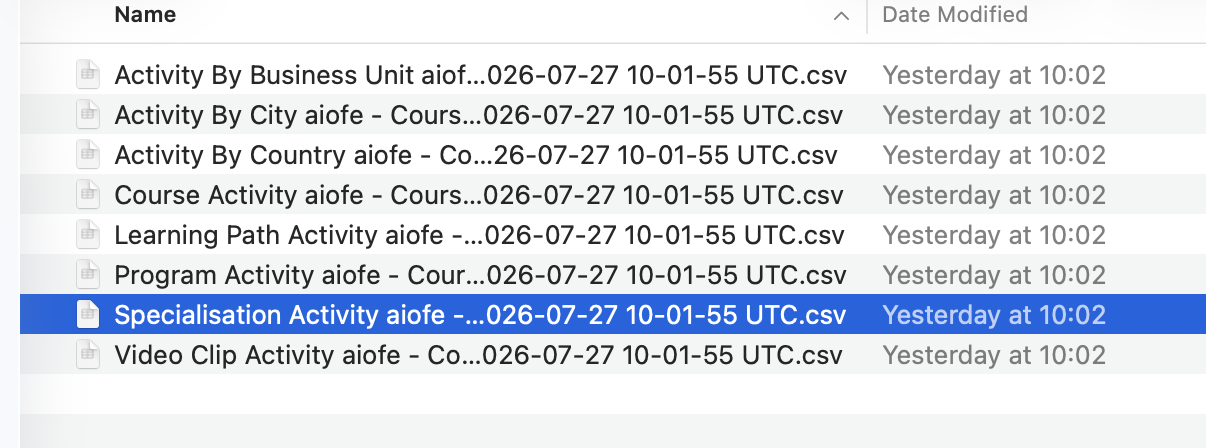
Learners can of course review their certificate on their coursera accounts without going to LinkedinLearners also have access to the learner help center, which has all the FAQ necessary to answer the most common questions.Please find a useful help article on the subject of where to locate their certs on their account : https://www.coursera.support/s/article/learner-000001329?language=en_US#viewPlease prioritize sending them to this dedicated resource to solve their common questions.As admin you can review their certs from the reports.Please find the step-by-step instructions on how to download your Specialization activity report :Access your home screen :click on view reportsThen from the new screen click on Customize and Generateconfigure the option as you see fit and click on GenerateYou will then receive the following files :Open the one called Specialization Activity Report, and you will be able to filter through the Specialisation completions. (column K)
Coursera - Admin Helpguide Print
Modified on: Thu, Aug 27, 2026 at 3:53 PM
Did you find it helpful? Yes No
Send feedbackSorry we couldn't be helpful. Help us improve this article with your feedback.