Adding Coursera LTI 1.3 to a Moodle Course
Faculty Help Guide
Purpose
Use these steps to add the Coursera LTI 1.3 tool to your Moodle course and then add a Coursera activity within a course section.
Step 1: Add the Coursera LTI 1.3 Tool
- Open your Moodle course.
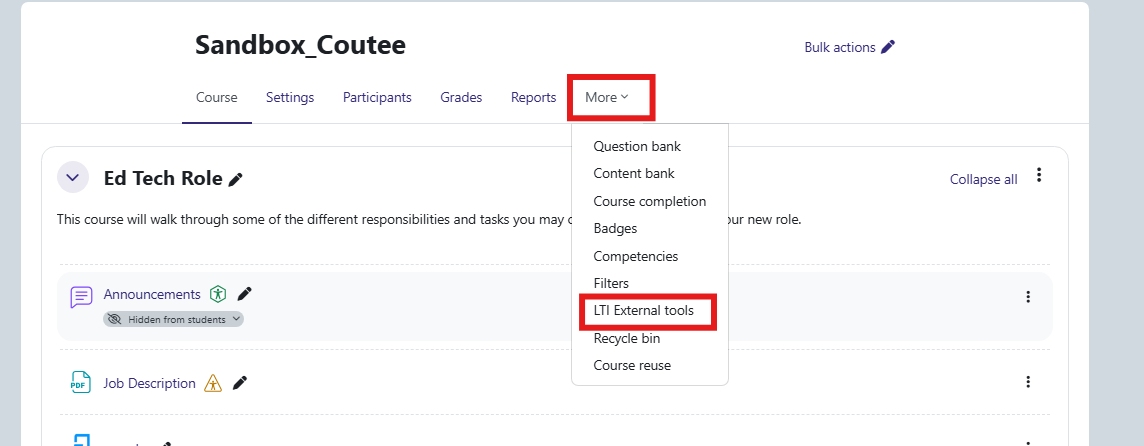
- Select the More tab and select LTI External tools.
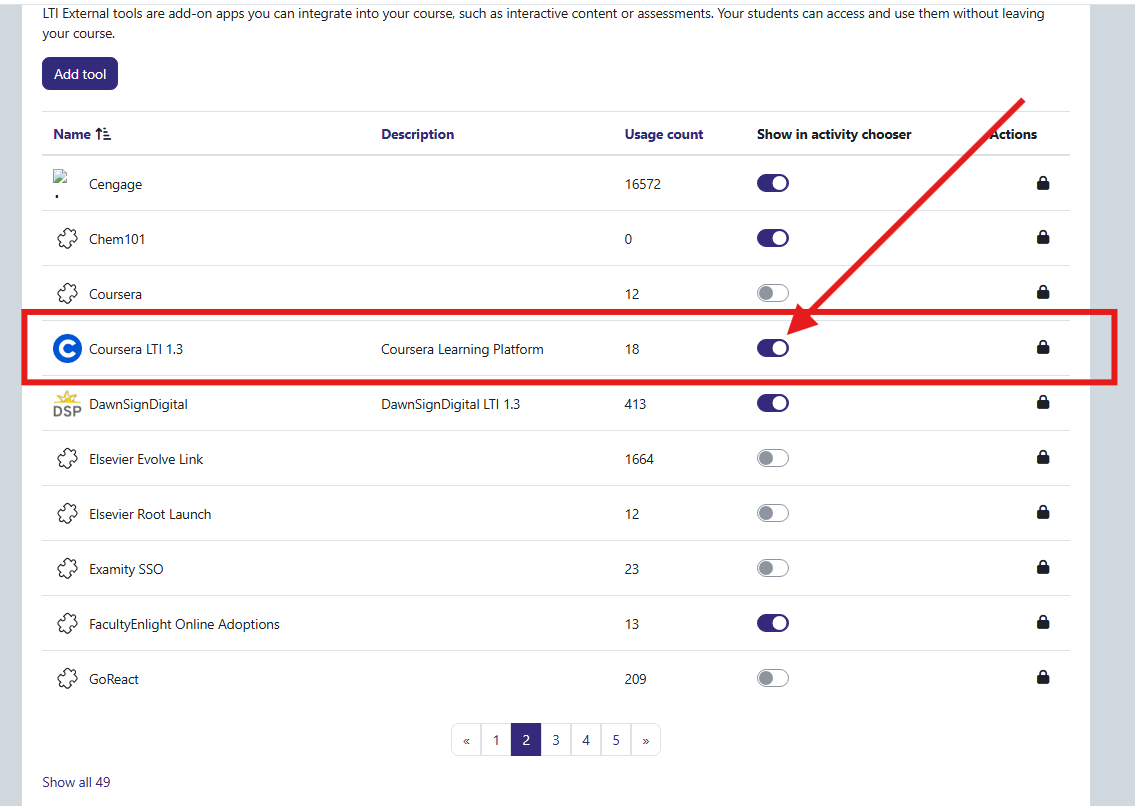
- Navigate to the Coursera LTI 1.3 (Blue Circle with a white C) and toggle it on.
Step 2: Add the Coursera Activity
- Turn Edit mode on.
- Navigate to the module or topic where you would like to place the Coursera activity.
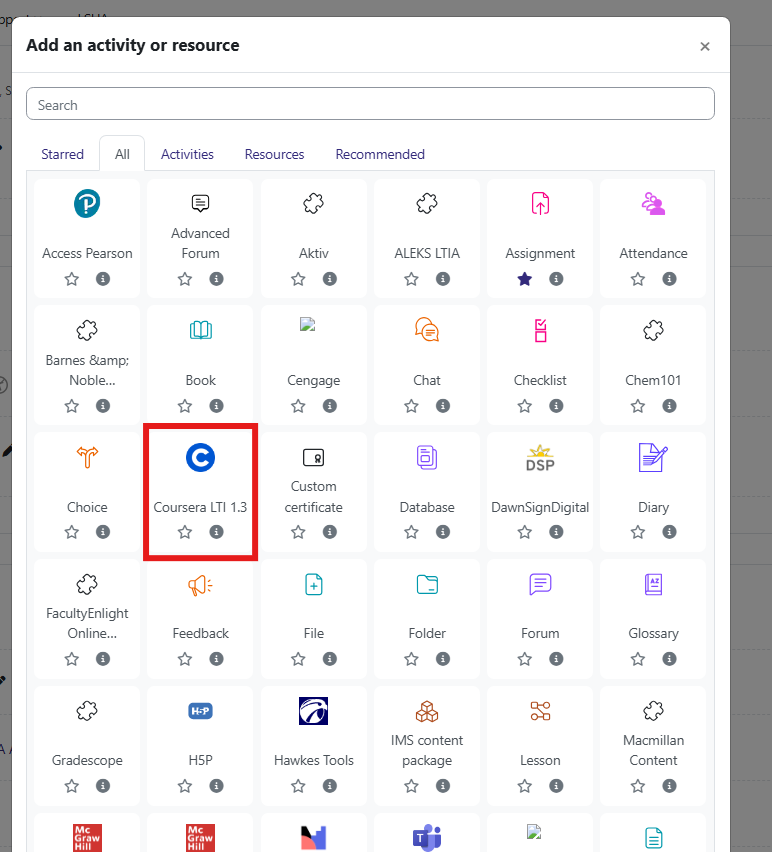
- Select Add an activity or resource.
- Select Coursera LTI 1.3.
Step 5: Configure the Coursera Activity
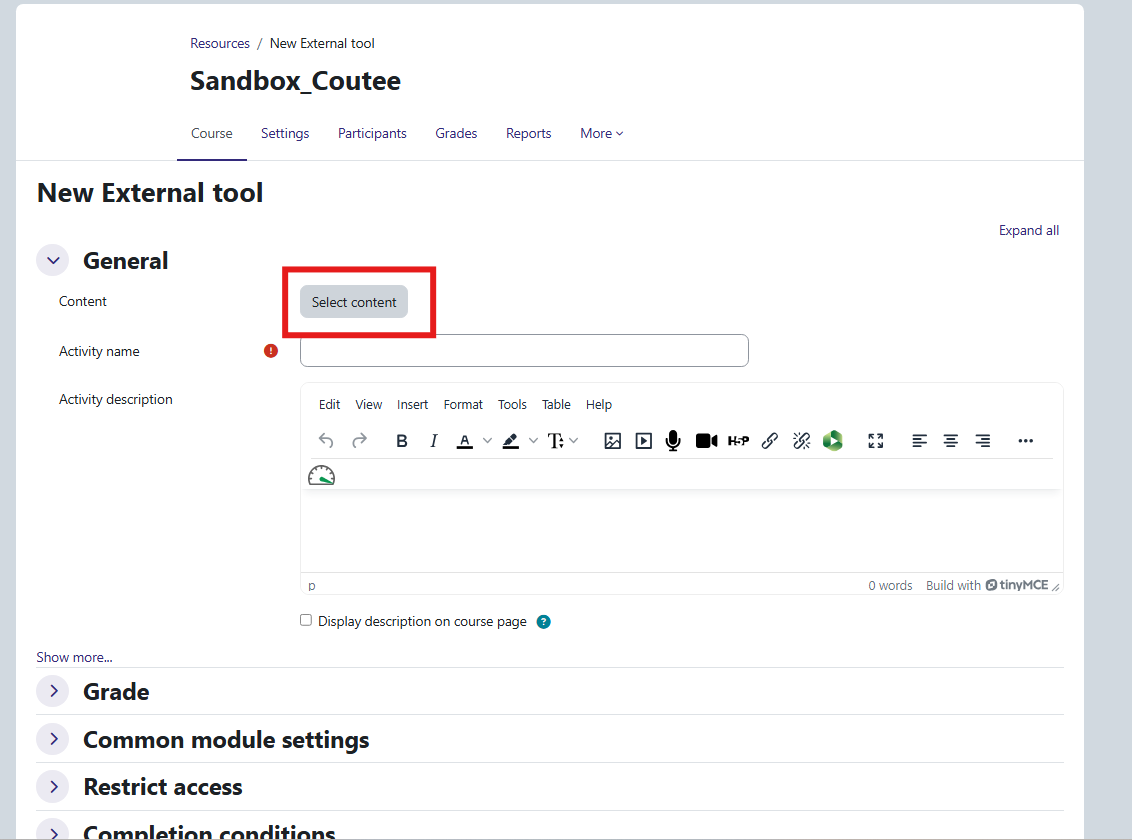
- Enter a name for the activity if prompted.
- Click on Select content.
- Select the appropriate Coursera course, module, or content.
- Complete any additional settings as needed.
- Select Save and return to course.